










What’s new in the staff app

New features, improvements and fixes in the staff app, newest first.

Releases

  1. NewImprovedFixedLate October update
  2. NewImprovedFixedOctober update
  3. NewImprovedFixedSeptember update

Earlier updates

October update

New

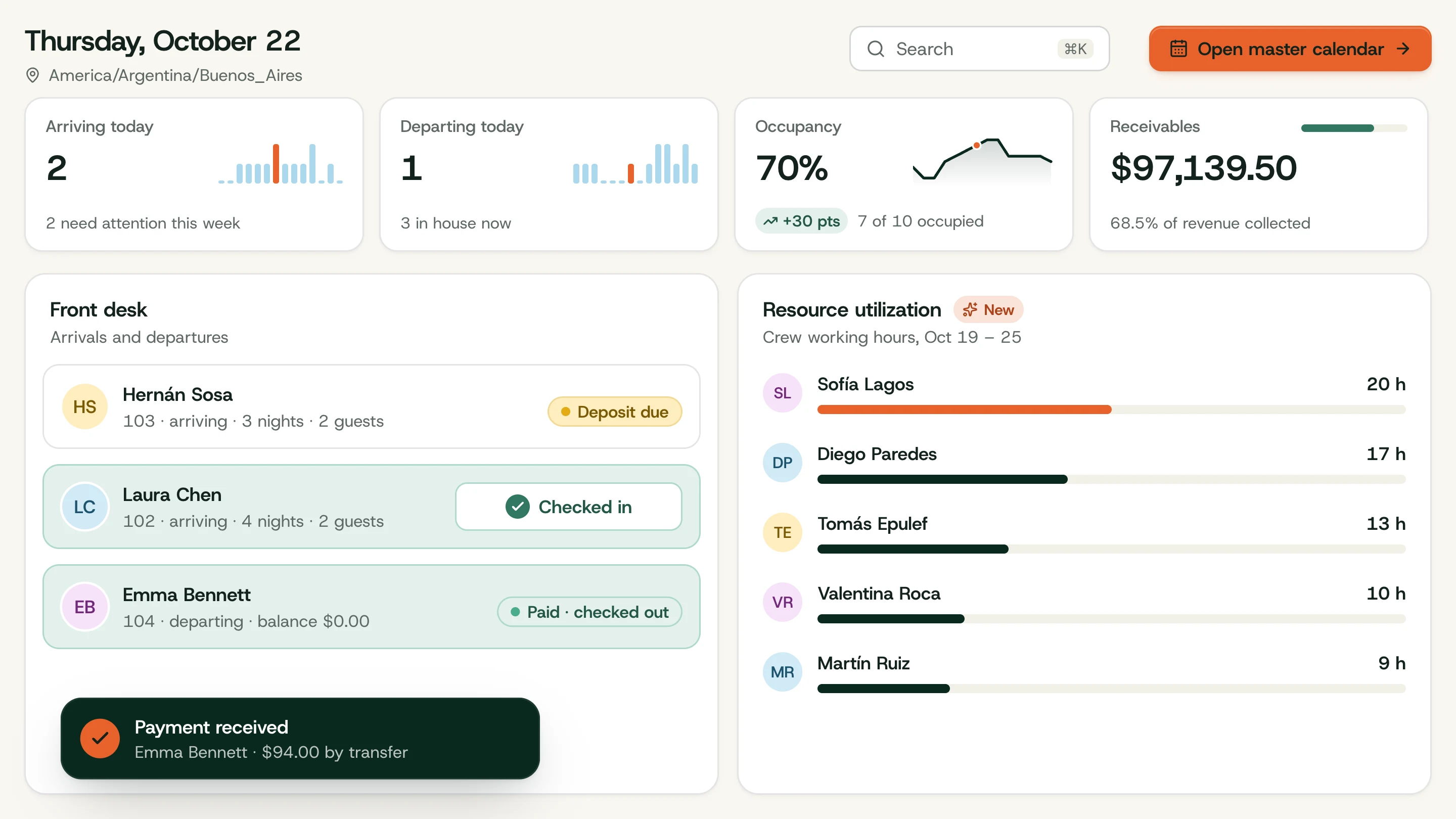
  • Front-desk dashboard — Check guests in and out and take payments straight from today’s arrivals and departures.
  • Search everything — Find guests and bookings from the command menu, by name and in any case.
  • Resource utilization — See dated inventory and working hours for crew and assets.

Improved

  • Every staff screen redesigned, from bookings and the calendar to kitchen, POS and reports.
  • Reports chart by day for week and month periods, with year-over-year occupancy.
  • Booking and guest directories now page on the server, so long seasons stay fast.

Fixed

  • Each role now lands on the page that matches its work.
  • The dashboard refreshes after bookings, payments, rooms or tasks change.

September update

New

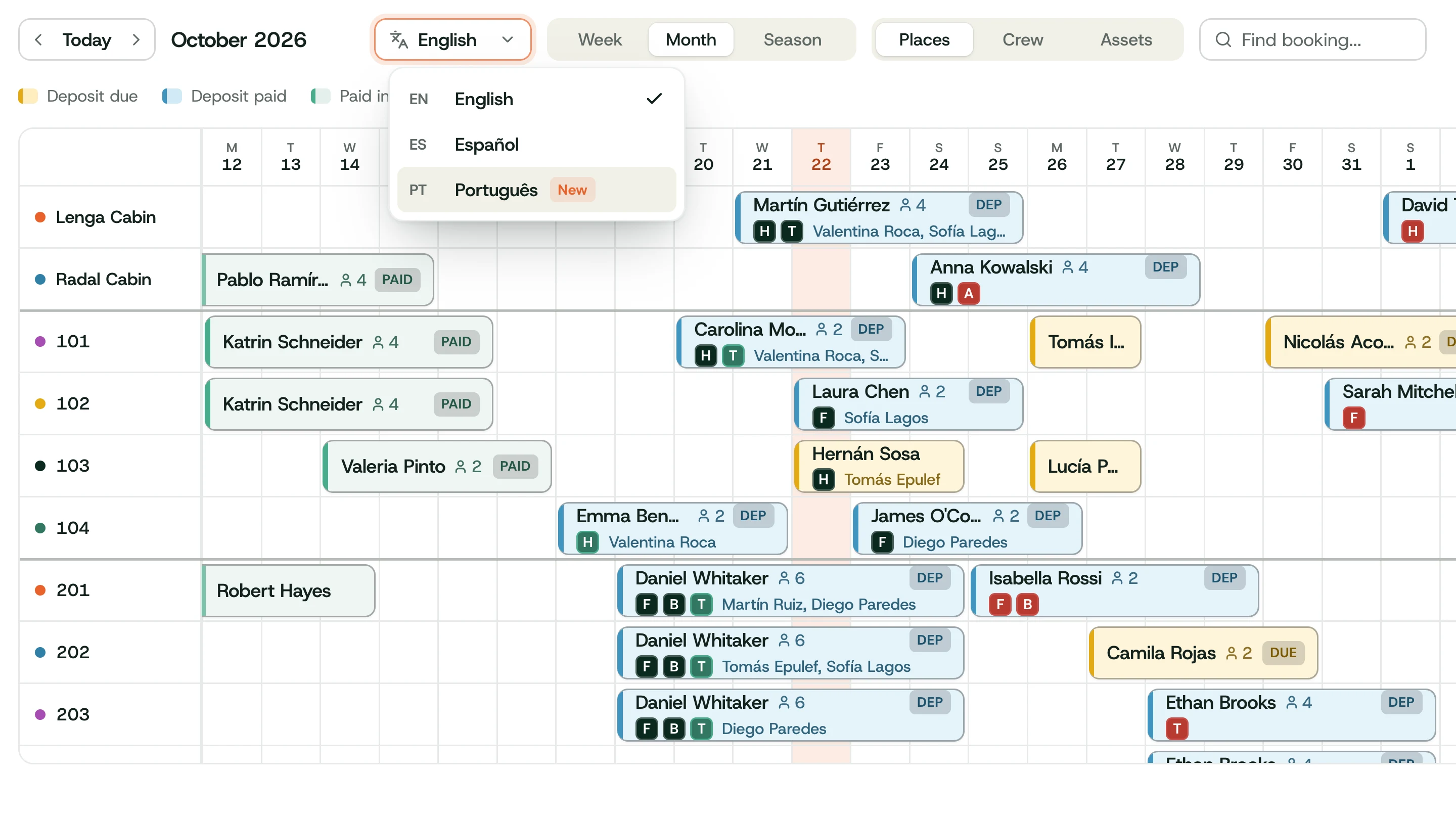
  • Spanish staff interface — The whole staff app follows the workspace language, English or Spanish.
  • Singular and plural terms — Call your places cabins, rooms or tents, and the app follows.

Improved

  • Sign-in and permissions were hardened, with authorization gaps closed.
  • Workspace settings gained the missing screens, and defaults now follow each lodge.
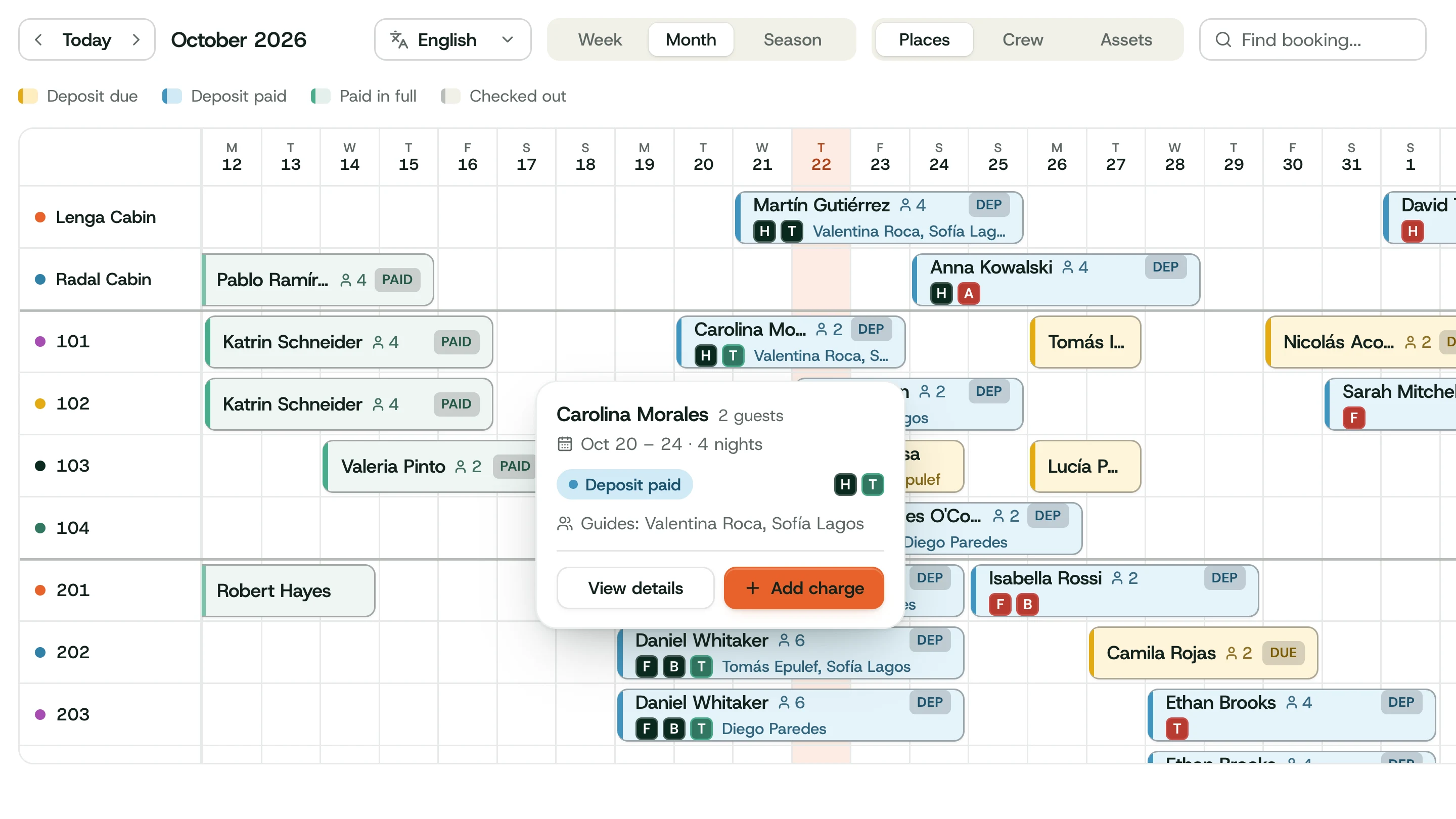
  • Calendar popovers open on the first click and keep their dates steady.

Fixed

  • Money entry and workspace switching now behave as expected.
  • Calendar block conflicts are checked within the right resource.

Ready when the season is.

Book a live walkthrough and see rooms, guides, the kitchen and payments working together.